

PLANNING FOR THE FUTURE | Generative Planning Tools
Generative design is not new, but it is rapidly becoming mainstream and more readily accessible to design firms with tighter tech budgets and staffing options. Given the omnipresent topic of AI, firms are racing to embrace new technologies that will help them develop a competitive edge in this rapidly changing environment.
In this latest Design Brief we will be sharing some insights from our own internal review of three generative planning applications: DELVE by Google | Sidewalk Labs, ARCHITEChTURES, and TestFit.
It should be noted that there are several other [urban planning] contenders out there, including Autodesk Forma but we’ve opted to include the three that provided the greatest contrast and range of experience in our evaluation process.
Generative Design
Generative Design utilizes a mix of computational and parametric design functionality in tandem with AI / machine-learning for generating multiple project design schemes and supporting data analytics for reviewing the efficacy of these generated schemes.
For applications developed specifically for urban planning and real estate development, such programs are typically equipped with some form of GIS-based data-sourcing—providing a range of site related information from contours and drainage patterns to requisite zoning and applicable building codes.
To date, much of the development in this arena has happened in hybrid scenarios blending computational and parametric operations across various platforms; think: Rhino-Grasshopper or Revit-Dynamo coupled with Python, Matlab, etc.—typically done in-house for larger firms with more robust means of funding, be it through creative fee structuring, partnerships with tech entities, or even research grants.
With any new technology, the process of identifying, evaluating, and eventual product adoption can be a profoundly challenging proposition for even the best-run firms. Between allocating resources for the research side of the equation and engaging senior leadership in a meaningful, proactive review process, establishing momentum and consensus can result in a lot of spinning wheels. Looking back to the roll-outs of CAD and subsequent BIM programs—to say nothing of more specialized 3D modeling, rendering, and animation programs—one can find myriad reasons for skepticism and hesitation, given how rapidly the specter of obsolescence moves.
Fortunately, there are numerous generative planning applications coming onto the market that do not require the heavy lifting of code-fueled, multi-platform navigation. These applications are all reasonably intuitive to use, loaded with analytical features, and, in most cases, affordable. Unfortunately, there are no clear winners and the race to secure market share is still in the balance.
DELVE by Google | Sidewalk Labs
 Promotional Video for DELVE by Sidewalk Labs
DELVE was one of the very first generative planning applications marketed to architects and urban planning professionals. Powered by a combination of machine learning and GIS data delivered through Google Earth-Maps, DELVE synthesizes a wide range of user input data sets to generate multiple project configurations which are then parsed with the top three options presented in detail; additional options are also available for review. Schemes are dynamic—meaning to to say that data sets can be modified at any time to generate updated / recommended schemes.
 Outputs from two separate DELVE studies: the left side illustrating DELVE’s penchant for traditional urban figure ground arrangements and the right side illustrating DELVE’s ‘Texas Doughnut’ building typology.
DELVE utilizes a pretty comprehensive inventory of data sets well beyond the scope of this review. Notwithstanding, there were several issues we encountered that led to a full-stop in our review process.
- Developed as an urban planning tool, when presented with a parcel capable of accommodating multiple buildings, DELVE seems to default to a ‘more is more’ approach with a penchant for traditional urban figure-grounds. Meaning to say that it seems to prefer multiple [urban?] building schemes over larger [suburban?] single building schemes. In many instances we found the recommended configurations to be utterly undevelopable from a local CRE perspective.
- With an option to specify various building typologies, the only options for structured parking are below grade, podium, and what is designated as ‘Texas Doughnut’—a fully wrapped parking structure. We were never able to generate a scheme commensurate with our approaches to precast parking with one or more sides open to the exterior.
- Customer Service: [This probably should have come first…] At this time it is totally unclear if Google | Sidewalk Labs are actually maintaining this product. To date we have been unable to communicate with anyone from the company and our product trial has yet to expire. There are numerous articles out there decrying the demise of DELVE yet it is still possible to get access and use the product…for free. This seems to be a trend with Google—see also Google Earth Studio.
While we were pretty quick to dispense with DELVE as an option for MV+A, it has served as a pretty good measuring stick against other programs and so we have opted to include it here.
ARCHITEChTURES
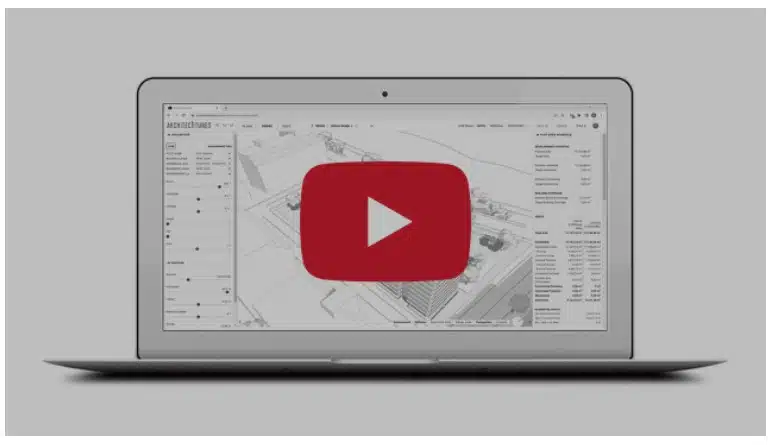 Promotional Video for ARCHITEChTURES
ARCHITEChTURES’ parent company is based in Spain which presents a number of challenges to users in the US. First, and possibly foremost, the inventory of included building typologies does not correlate to the same fire- and life-safety codes we observe in the US—especially with respect to multifamily. Compared to the rest of the world, the US and Canada have the greatest restrictions on single-stair construction which is the prevailing multifamily typology in Europe, Asia, South America, and pretty much everywhere else. While the application does afford double-loaded corridor options, it doesn’t track travel distances in the same way. Additionally, there is no GIS component for evaluating site and zoning data; all of this must be uploaded or manually entered into the data sets.
So why include it in our review? Simply put: Point Access Blocks. For any firm following the ongoing discussion around revising zoning and building codes to allow for taller, single-stair multifamily dwellings, this application has major potential for exploring this building type vis-vis an application with deep niche know-how baked-in. The way this program works is really magical and definitely worth taking for a test-run. Again, there’s a great deal that can be gleaned about what makes for a successful, point access block building.
That said, one other shortcoming the company professes to be working on is above grade, structured parking. Currently the only options are below grade or podium.
As far as EXCELLENT customer service is concerned, this an engaged group that is accessible and anxious to expand into the US market. As such, they are very receptive to feedback and improving their product. By example, early in our discussions, I was informed that there were no immediate plans to add imperial dimensional units to the application. As of last month, this disparity has been rectified.
One last plus? The program is under $50 / month per user—definitely worth checking out.
TESTFIT

TestFit [TF] was by far the most impressive experience of our journey. The customer service The TEAM at TF is truly awesome and very accessible. Within the first few weeks of our trial period we had attended no fewer than three one-on-one training sessions with Stan [yes—we’re on a first-name basis] who sent multiple follow-up emails and session invites to address our questions and concerns. Pete, the lead sales guy, kept in regular touch to make sure our trial was proving fruitful and very graciously extended our trial period on more than one occasion.
As for the product, the experience was equally impressive—once we understood some of the more nuanced approaches to working with the modeling functionalities—but not without shortcomings. Similar to DELVE, the TF user interface includes GIS-based data sourcing with a variety of mapping layers including but not limited to: satellite imaging, adjustable contour intervals, FEMA mapping, zoning, and more—all of which can be toggled on or off. Project plan views can be toggled by floor level and 3D panning is smooth with shadows that can be turned on or off and adjusted to time of day. Layer and object transparency options provide additional degrees of inquiry while robust site building tools along with an Enscape plugin provide added functionality.
There are two type of modeling components that draw from and feed into the data sets and project stats. The primary components are called configurators. These are parametric building blocks that are effectively composed as building types with the ability to customize the programs and layouts contained within each configurator. Most of our efforts were centered on the ‘Wrap’ configurator—a mixed-use, multifamily building with above ground structured parking.
Generally speaking, we were impressed with the inventory of configurator options, the staggering amount of layout detail and customization they afforded, and just how accurately they conformed to what we’re used to seeing in the actual market. By example, the configuration of interior corner residential courtyard units—with or without balconies. Not unlike that first experience of ‘pushing and pulling’ volumes in SketchUp, managing transformations in TF, be it by data input or modifying the model, can be genuinely gratifying—when they work. And therein lies the rub: configurators frequently don’t work and building portions or the entire building can suddenly disappear when there is a disconnect in the parameters. Often enough, there are work-arounds and, like anything, the longer you work with the product the better you get at anticipating what will work and what won’t.
 TESTFIT Configurator Panel in Action
 Manually Modifying Configurators
The secondary components are called ‘regions’. These are more generic parametric building blocks. Generally, a region can be given a programmatic designation that will feed areas [floor, elevation, volume] and other customizable inputs that inform data variables such as parking counts but will not contain any granular info relating to layouts, circulation [stairs / elevators], or mechanical areas. One of the above mentioned work-arounds we found to be effective involved a hybrid approach to incorporating regions and configurators within the same model.
Something we had to continuously remind ourselves of during this process was that these are ‘tools for planning’ NOT ‘tools for designing buildings’. This is a really important distinction to consider. At the ‘planning’ stage of a development project, there may be some debate as to just how a granular a building scheme should be. At MV+A we promote our ability to deploy deep-niche mixed-use experience in creating fully realizable master plans. There is no shortage of master plans out there that have been fully entitled with parcels that simply can’t be developed as intended. So, from our POV, the more we can anticipate at the planning stage the better.
TestFit can do a lot—and it can do more today than it could do three months ago. We evaluated a desktop version; today, it’s cloud-based. A lot of our discussions with TF ended with a consensus that our expectations were too high for a ‘planning’ app. An yet TF has so many awesome features to whet the appetite but then fall short. One example: the adjustable contour intervals and FEMA data are awesome BUT none of the configurators are contour responsive—they don’t talk to each other. This is a real issue for parking garage entries and ramps; stuff that matters at the planning stage. We kept having this discussion internally as well as with the TF team about how much we should be able to expect the software to do. The reality is that it’s a super robust program that has still yet to live up to it’s full potential.
As of now, we’ve yet to commit to adoption but we’re remaining cautiously optimistic.
Conclusions
Unfortunately, none of our evaluation efforts afforded us the opportunity to really dig into the data / analytics side of these applications—clearly the most important variable. This speaks volumes to some of the challenges mentioned in the intro. The process is neither easy nor straight forward and when the options are only compounding, how does one manage to commit? One recommendation we’d offer the developers and vendors is 90-day minimum trial periods; 30-days is nothing short of absurd. One other issue for all three of the programs we evaluated was the lack of a proper ‘knowledge base’ with quality tutorials. How can you expect users to evaluate an application without providing sufficient learning aids?
All that said, our major concern with all of this relates to the adoption of these applications by CRE professionals. TestFit is marketed as a ‘Real Estate Feasibility Platform’. While many CRE firms have architects and planners on staff, there is some question as to their depth of experience with design technologies and their ability to identify shortcomings and potential pitfalls—namely what’s missing from the models and requisite data sets that might adversely affect the long term outcomes for a project.
As planners and designers there’s always a certain amount of professional wisdom that informs our decision making that isn’t always obvious to our clients. For this reason, designers really need to be evaluating these applications and making sure that their feedback is in the mix. As noted, there’s still plenty of ‘institutional knowledge’ that needs to be baked-into these programs and, based on our experience, the best developers are all ears; let’s make sure they hear us.
